


Optimise employee transport: efficiency and control at your fingertips
BatOnRoute is the ideal solution for gaining full control over your employee transport routes, without changing your current transport provider or installing additional GPS devices.
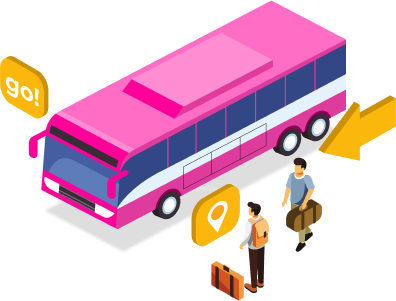

The challenges of employee transport in organisations
Lack of visibility, frequent delays and logistical issues can negatively impact punctuality, productivity and team satisfaction.
With BatOnRoute, we help you overcome these problems through a digital tool designed specifically for companies seeking efficiency and control. Managing employee transport has never been easier.
- Passenger and absence management: Keep detailed records of who gets on and off at each stop, and manage absences quickly and easily. Registration can be done via QR code or NFC, making the process easier.
- No changes or additional installations required: Integrate BatOnRoute with your existing transport provider without modifying systems or installing extra hardware.
- Custom API: Seamlessly connect your internal applications with BatOnRoute’s API to automate workflows and avoid employees needing to use multiple apps.
Advantages only BatOnRoute offers for employee transport
- Full route control: View employee routes in real time, including stop details, journey duration and estimated arrival times.
- Centralised communication: Easily communicate with employees and transport providers via automatic notifications and real-time alerts, ensuring everyone stays informed of any changes.
- Two-way communication: Not only can the company send key updates to employees, but employees can also report incidents or provide feedback on the service, enabling more efficient management.
- Simplified management: Employees can reserve their seat and manage absences easily through the app.
- Easy integration: BatOnRoute fits into your current transport system without the need for technical modifications, allowing for fast, disruption-free implementation.
- Environmental contribution: Participate in a shared and sustainable transport model.
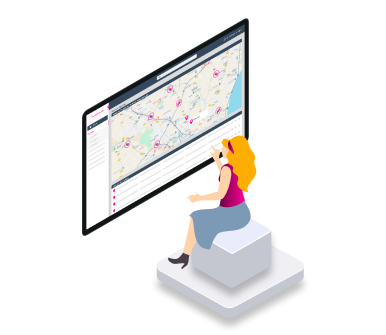
Do you have questions about our employee transportation?
Find here the answers to the most frequently asked questions.
How does BatOnRoute’s real-time tracking work?
To enable real-time tracking in our BatOnRoute app, it is very important that the person responsible for the route uses the Control app. Thanks to this app, that person will share their location using the GPS of their mobile device. This way, we can track the route at all times while it is active.
Once the route has ended, tracking will no longer be available until the person in charge reactivates the route from their Control app.
Do I need to have GPS in vehicles to use BatOnRoute?
No, it is not necessary to install GPS in vehicles. BatOnRoute works without the need for additional equipment or facilities. Our solution uses the driver’s or route manager’s mobile phone to track them, saving costs and simplifying management.
Can I manage incidents that may occur during the transportation service?
Yes, from the administration panel, it is possible to manage all incidents recorded in BatOnRoute—both those created by drivers and those that employees may report from their respective apps.
Each incident has four statuses. When created, it is assigned the status “Pending review.” The platform administrator can then change the status to “Under review” or “Closed” if it has already been addressed. The status can also be changed to “Canceled” if the incident was reported by mistake.
In addition, one or more email addresses can be associated with each type of incident defined when setting up the environment. These addresses will receive an email notification whenever an incident of that type is created.
If I want to inform employees, can I send them notifications that they will receive through the app?
Yes, in the administration panel there is a section called Notifications. The platform administrator can send notifications to both employees and route drivers. Both will receive the notifications as push messages in their respective apps—Moving for employees and Control for drivers. Notifications can be sent individually by user or in bulk, either by route or to everyone.
Once a notification is sent, the administrator can see from the administration panel whether the recipient has received it.
Can I connect BatOnRoute with my current app?
BatOnRoute has an API with multiple endpoints that can be used to transfer data to your system. Available endpoints include creating new users, routes, and stops, as well as others designed for employee route bookings and absence management.
It also includes endpoints for retrieving information, making it possible to access historical data for use in other tools.
What advantages does BatOnRoute have in relation to the environment?
Thanks to BatOnRoute you can save the number of buses you need to hire for your routes. BatOnRoute offers a seat registration system that allows you to know at all times the number of employees who use each of the planned routes. In this way, the number of vehicles used can be optimised and the pollution they emit can be reduced.
In addition, BatOnRoute has tools to calculate the carbon footprint in order to know the savings of hiring buses instead of each employee using their own transport.
What languages is it available in?
The BatOnRoute app is available in 16 languages: Spanish, English, Catalan, Basque, Italian, French, Polish, German, Greek, Portuguese, Romanian, Arabic, Uzbek, Kazakh, Russian, and Bulgarian.
Can I track my route in real time?
Yes, by accessing the BatOnRoute Moving app, you will be able to follow the bus on your route in real time. Thus, being able to see at all times where the bus is.
While the route is running, you will also be able to see the various planned route stops and an actual estimate of the passage time. This way you will be able to know at what estimated time the bus will pass through your stop.
If a route is delayed, is there a way to receive a notification or alert?
Yes, the company can schedule delay notifications to be sent automatically. These notifications will be sent to affected employees if the route takes more than X minutes to reach the stop. The number of minutes is defined by the company when setting up the system.
Drivers can also send delay notifications manually from their app.
All delay notifications are received as push messages on the mobile device. Within the Moving app, employees can view the details of these notifications once received.
Can I manage my seat reservations from the app?
Yes, as long as the company allows it, occasional trips can be created from the BatOnRoute Moving app. These trips are temporary and can be used to switch from one route to another or to change stops within the same route.
Occasional trips allow employees to modify the route schedule assigned by the company, enabling them to reserve a seat on a route they will use occasionally.
If there are no available seats on the route, the app will not allow the creation of an occasional trip. Before creating the trip, users can check seat availability for each route.
I won't be using transport for a few days in particular, can I create absences from the app?
Yes, as long as the company allows it. In the BatOnRoute Moving app, you can create absences for your planned routes. By creating the absence, you will justify that you are not going to use the route. In this way, the company will be able to know when it is not going to use it and why. The absences that are created are of a temporary nature. In other words, they will only take effect on the days indicated when they were created.
Can I create incidents and make the company aware of them?
ChatGPT Plus
Yes, within the BatOnRoute Moving app, there is a section to create incidents. Here, you can report any incidents you consider necessary. These will be recorded so that the company can manage them from its administration panel.
How does BatOnRoute’s real-time tracking work?
To enable real-time tracking in our BatOnRoute app, it is very important that the person responsible for the route uses the Control app. Thanks to this app, that person will share their location using the GPS of their mobile device. This way, we can track the route at all times while it is active.
Once the route has ended, tracking will no longer be available until the person in charge reactivates the route from their Control app.
Do I need to have GPS in vehicles to use BatOnRoute?
No, it is not necessary to install GPS in vehicles. BatOnRoute works without the need for additional equipment or facilities. Our solution uses the driver’s or route manager’s mobile phone to track them, saving costs and simplifying management.
Can I manage incidents that may occur during the transportation service?
Yes, from the administration panel, it is possible to manage all incidents recorded in BatOnRoute—both those created by drivers and those that employees may report from their respective apps.
Each incident has four statuses. When created, it is assigned the status “Pending review.” The platform administrator can then change the status to “Under review” or “Closed” if it has already been addressed. The status can also be changed to “Canceled” if the incident was reported by mistake.
In addition, one or more email addresses can be associated with each type of incident defined when setting up the environment. These addresses will receive an email notification whenever an incident of that type is created.
If I want to inform employees, can I send them notifications that they will receive through the app?
Yes, in the administration panel there is a section called Notifications. The platform administrator can send notifications to both employees and route drivers. Both will receive the notifications as push messages in their respective apps—Moving for employees and Control for drivers. Notifications can be sent individually by user or in bulk, either by route or to everyone.
Once a notification is sent, the administrator can see from the administration panel whether the recipient has received it.
Can I connect BatOnRoute with my current app?
BatOnRoute has an API with multiple endpoints that can be used to transfer data to your system. Available endpoints include creating new users, routes, and stops, as well as others designed for employee route bookings and absence management.
It also includes endpoints for retrieving information, making it possible to access historical data for use in other tools.
What advantages does BatOnRoute have in relation to the environment?
Thanks to BatOnRoute you can save the number of buses you need to hire for your routes. BatOnRoute offers a seat registration system that allows you to know at all times the number of employees who use each of the planned routes. In this way, the number of vehicles used can be optimised and the pollution they emit can be reduced.
In addition, BatOnRoute has tools to calculate the carbon footprint in order to know the savings of hiring buses instead of each employee using their own transport.
What languages is it available in?
The BatOnRoute app is available in 16 languages: Spanish, English, Catalan, Basque, Italian, French, Polish, German, Greek, Portuguese, Romanian, Arabic, Uzbek, Kazakh, Russian, and Bulgarian.
Can I track my route in real time?
Yes, by accessing the BatOnRoute Moving app, you will be able to follow the bus on your route in real time. Thus, being able to see at all times where the bus is.
While the route is running, you will also be able to see the various planned route stops and an actual estimate of the passage time. This way you will be able to know at what estimated time the bus will pass through your stop.
If a route is delayed, is there a way to receive a notification or alert?
Yes, the company can schedule delay notifications to be sent automatically. These notifications will be sent to affected employees if the route takes more than X minutes to reach the stop. The number of minutes is defined by the company when setting up the system.
Drivers can also send delay notifications manually from their app.
All delay notifications are received as push messages on the mobile device. Within the Moving app, employees can view the details of these notifications once received.
Can I manage my seat reservations from the app?
Yes, as long as the company allows it, occasional trips can be created from the BatOnRoute Moving app. These trips are temporary and can be used to switch from one route to another or to change stops within the same route.
Occasional trips allow employees to modify the route schedule assigned by the company, enabling them to reserve a seat on a route they will use occasionally.
If there are no available seats on the route, the app will not allow the creation of an occasional trip. Before creating the trip, users can check seat availability for each route.
I won't be using transport for a few days in particular, can I create absences from the app?
Yes, as long as the company allows it. In the BatOnRoute Moving app, you can create absences for your planned routes. By creating the absence, you will justify that you are not going to use the route. In this way, the company will be able to know when it is not going to use it and why. The absences that are created are of a temporary nature. In other words, they will only take effect on the days indicated when they were created.
Can I create incidents and make the company aware of them?
ChatGPT Plus
Yes, within the BatOnRoute Moving app, there is a section to create incidents. Here, you can report any incidents you consider necessary. These will be recorded so that the company can manage them from its administration panel.
Our priority is to increase safety and help you manage routes and users with Bus Tracker
Request information and discover how BatOnRoute optimizes your route management.
We are here for you!



We need to know a little about you in order to contact you