


BatOnRoute: The Essential Solution for Schools
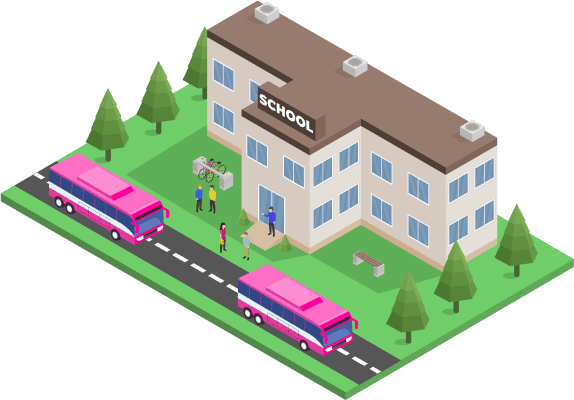
BatOnRoute adapts to any type of school: public, private, with adapted transport, university, sports, etc. With real-time tracking and advanced tools, it simplifies route management, improves communication with families, and ensures the safety of students.
The challenge of efficiently managing school routes
Schools face significant difficulties when they lack visibility of bus routes and last-minute changes
The lack of efficient communication and the management of absences leads to delays and concerns about student safety. BatOnRoute simplifies this process by offering real-time visibility and enhancing communication between schools, families, and transport companies.
Complete solutions from BatOnRoute for school transport management
SCHOOL TRANSPORT
BatOnRoute offers an intuitive solution for schools, prioritising the safety of students and peace of mind for families while their children are on the bus.
- Ease in route management, assigning stops to each student.
- Change of routes and absence marking.
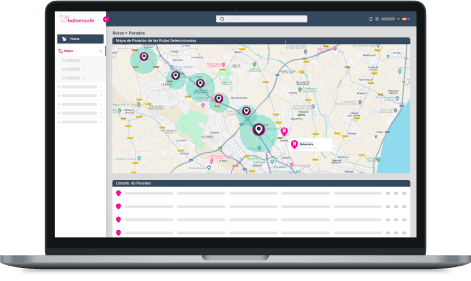
- Real-time tracking of the bus location.
- Automatic notifications to parents about delays on each route.
- Time of arrival and delays at each bus stop.

PEDIBÚS
The Pedibus is a safe and healthy option for the school journey, where children walk under the supervision of an adult. BatOnRoute guarantees their safety, promotes healthy habits, and helps reduce traffic near the school.
- Location of the guardian on the map: The school can view the location of the accompanying adult in real time, ensuring a safe journey.
- Pickup/drop-off notifications: You will receive notifications when students are picked up or dropped off, ensuring proper control.
- Alerts for incidents and delays: The system will notify any delays or incidents, improving communication and coordination with families.
ATTENDANCE CONTROL: PICKUP AND DROP-OFF
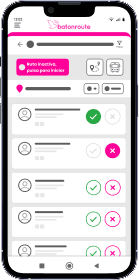
BatOnRoute allows schools to efficiently control the attendance/absence of students on school transport and in the school canteen, providing peace of mind to families and school staff.
- Real-time monitoring of attendance.
- Automatic alerts for families.
- Ease of optimising transport and school canteen management with accurate daily attendance data.
ROUTE OPTIMISATION
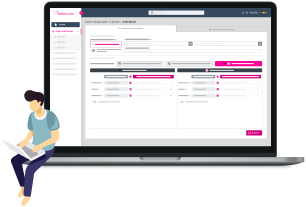
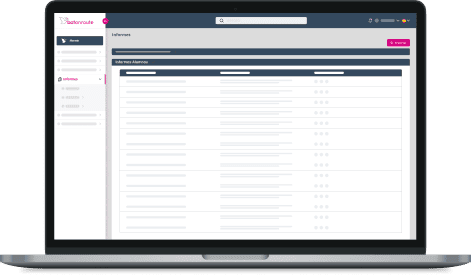
Planning routes by hand no longer makes sense when you have a tool that does it for you , and better. With BatOnRoute, route optimization becomes automatic, balanced, and tailored to your real needs. Fewer kilometers, lower costs, and greater punctuality, all from a single, easy-to-use dashboard.
- Shorter, more punctual routes. We generate optimized itineraries that reduce travel times and enhance the experience for both users and drivers.
- Fuel savings. Fewer kilometers traveled mean lower expenses and more efficient use of resources.
- Balanced routes. Intelligent passenger distribution to avoid overcrowded or half-empty buses.
ADAPTED TRANSPORT
With BatOnRoute, you can plan customized routes, track them in real time, and ensure every user gets the attention they need. All from a simple platform, with no special installations required, and the peace of mind that every detail is under control.
- Personalized routes for every user. Adapt journeys based on schedules, frequency, or specific support and accompaniment needs.
- Detailed attendance control. Record who gets on, who gets off, and when, improving service safety and monitoring.
- Full traceability and regulatory compliance. Everything is recorded: routes, incidents, attendance, ideal for audits and continuous improvement.
Technology at the service of education
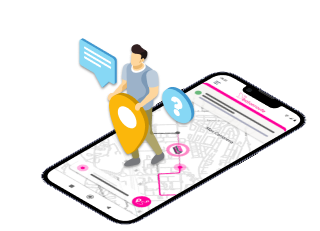
Real-time tracking
- Ease in route management and absence marking, assigning stops to each student.
- Real-time tracking of the bus location.
- Automatic notifications to families about delays on each route.
- Empty stops' detection.
- Reception of automatic alerts for any incidents.

Adapted and personalised transport
- BatOnRoute is fully compatible with adapted school transport vehicles and buses.
- Monitoring and specific assistance for students with special needs.
Route optimisation
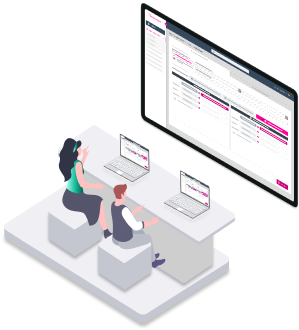
- Design efficient routes from the first day of the school year.
- Adjust routes based on traffic or changes in demand.
- Reduce operational costs with optimised routes.
- Improve punctuality and minimise travel times.
Integration with other educational applications
BatOnRoute integrates with the educational tools you already use, further enhancing school management.







Don’t see one you recognize? Ask us about an integration with your preferred system.
Advantages for the Entire School Community
For the school
- Implement BatOnRoute in your school without needing to change your current transport company or install additional equipment.
- Access key information instantly, with data and statistics for more efficient school transport management.
- We offer the option to provide the necessary technological materials should the school wish: identification cards, QR readers, tablets, mobile devices, identification wristbands, etc.
For families
- Peace of mind thanks to real-time tracking of their children's location.
- Direct and quick communication in case of unforeseen events.
- Easy communication of absences in a simple and practical way.
- Optimise time management with accurate information about bus arrival times, ensuring punctuality.
For students
- A safe and comfortable journey from home to school.
- Greater punctuality and efficiency in daily transport.

The experience of other schools already using BatOnRoute

Have any questions? Check our FAQ.
Ready to take your school’s transport management to the next level? Contact us and find out everything BatOnRoute can do for you.
How does BatOnRoute's real-time tracking work?
In order to be able to track in real time in our BatOnRoute app, it is very important that the person responsible for the route uses the Control app. Thanks to this app, this person will share their position using the GPS of their mobile device. In this way, we will be able to track it at all times while the route is active.
Once the route has ended, we will no longer be able to track it until the person in charge reactivates the route from their Control app.
Do I need to have GPS in vehicles to use BatOnRoute?
No, thanks to the BatOnRoute Control app, the GPS integrated into the mobile device is used. Therefore, it is only necessary to have a mobile device on which the Batonroute Control app can be installed. The app is available on Android and IOS.
How does BatOnRoute ensure the security of user data?
BatOnRoute is hosted in the Microsoft Azure cloud. Microsoft employs a variety of security measures to protect against external threats.
Azure protects data, both at rest and in transit, with next-generation encryption. Azure uses various encryption methods, protocols, and algorithms, including double encryption, to protect your data.
For data at rest, all data written to the Azure Storage platform is subjected to AES 256-bit encryption, in accordance with FIPS 140-2. Proper key management is essential. By default, your data is protected with Microsoft-managed keys, and Azure Key Vault helps ensure that your encryption keys are well protected. Azure key management also includes server-side encryption that uses service-managed keys, customer-managed keys in Azure Key Vault, or customer-managed keys on customer-controlled hardware. With client-side encryption, you can manage and store keys on-premises or in another secure location.
For data in transit, i.e., data moving between user devices and Microsoft datacenters, or within or between the datacenters themselves, Microsoft adheres to IEEE 802.1AE MAC security standards and uses and enables you to use industry-standard encrypted transport protocols, such as TLS (Transport Layer Security) and IPsec (Internet Security Protocol).
What is the process for setting up BatOnRoute?
Contact us via email soporte.batonroute@nunsys.com and we will help you get BatOnRoute up and running by performing a series of steps.
First, we’ll set up a custom instance with your route data. After this, we send you the access credentials and specify two trainings. A training course is oriented on the web administration platform. While the other focuses on the operation of the Batonroute Control app. After this, you will be ready to start using BatOnRoute.
What kind of technical support does BatOnRoute offer?
Batonroute has a support team that offers 24×7 technical assistance. From helping with the implementation to resolving doubts and incidents during the use of the product. Such assistance is included in the monthly product fee.
Is there an incident alerts or notifications feature?
The Batonroute app has a notification system. Whenever there is an incident or delay associated with the route, we will receive a notification in our app. We will also receive notifications when the route bus is near our stop.
In addition, there is the possibility of receiving any type of personalized notification from the person responsible for the routes.
What languages is it available in?
The Batonroute administration platform is available in the following languages:
Spanish, Catalan, English, Basque, Italian, French, Polish, German, Greek, Portuguese, Romanian and Arabic.
Do I need to register to use the BatOnRoute app?
No, families do not have to register to use the app. They will be able to access it when the school sends them via email the access credentials to the app.
Where do families receive access credentials?
The credentials will be received in your email. Once they receive them, they will be able to access the Batonroute Safe app.
Can they receive notifications about the status of the route their children use?
Yes, BatOnRoute has a notification system that keeps families informed at all times about the status of their routes. They will be informed of delays en route, proximity to their stops, pick-ups and arrivals at the destination or any personalized notification that the school configures.
Can families notify when their children will not be using the bus?
As long as the school allows it, families can create absences from their Batonroute app. In this way they can create absences indicating that their children will not use the route. These absences will be notified to the school and the route monitors.
Can families change their child's route/stop?
If the school allows it, families can create occasional trips for their children. These occasional trips consist of changing routes/stops temporarily.
Can they check their children's planning?
Families can view their child’s road planning from the BatOnRoute Safe app. Depending on the configuration of the school, families can see their planning up to a maximum of 60 days.
Does the app allow you to see the estimated time of arrival at the stop?
One of the options offered by the BatOnRoute Safe app is to track the school route in real time. This allows you to see the actual estimated time that the bus will pass through your stop. This time is calculated in real time, so it reflects an accurate time. The school can also indicate a theoretical passage time and families will see it in the app.
How does BatOnRoute's real-time tracking work?
In order to be able to track in real time in our BatOnRoute app, it is very important that the person responsible for the route uses the Control app. Thanks to this app, this person will share their position using the GPS of their mobile device. In this way, we will be able to track it at all times while the route is active.
Once the route has ended, we will no longer be able to track it until the person in charge reactivates the route from their Control app.
Do I need to have GPS in vehicles to use BatOnRoute?
No, thanks to the BatOnRoute Control app, the GPS integrated into the mobile device is used. Therefore, it is only necessary to have a mobile device on which the Batonroute Control app can be installed. The app is available on Android and IOS.
.
How does BatOnRoute ensure the security of user data?
Batonroute is hosted in the Microsoft Azure cloud. Microsoft employs a variety of security measures to protect against external threats.
Azure protects data, both at rest and in transit, with next-generation encryption. Azure uses various encryption methods, protocols, and algorithms, including double encryption, to protect your data.
For data at rest, all data written to the Azure Storage platform is subjected to AES 256-bit encryption, in accordance with FIPS 140-2. Proper key management is essential. By default, your data is protected with Microsoft-managed keys, and Azure Key Vault helps ensure that your encryption keys are well protected. Azure key management also includes server-side encryption that uses service-managed keys, customer-managed keys in Azure Key Vault, or customer-managed keys on customer-controlled hardware. With client-side encryption, you can manage and store keys on-premises or in another secure location.
For data in transit, i.e., data moving between user devices and Microsoft datacenters, or within or between the datacenters themselves, Microsoft adheres to IEEE 802.1AE MAC security standards and uses and enables you to use industry-standard encrypted transport protocols, such as TLS (Transport Layer Security) and IPsec (Internet Security Protocol).
What is the process for setting up BatOnRoute?
Contact us via email soporte.batonroute@nunsys.com and we will help you get BatOnRoute up and running by performing a series of steps.
First, we’ll set up a custom instance with your route data. After this, we send you the access credentials and specify two trainings. A training course is oriented on the web administration platform. While the other focuses on the operation of the Batonroute Control app. After this, you will be ready to start using BatOnRoute.
What kind of technical support does BatOnRoute offer?
Batonroute has a support team that offers 24×7 technical assistance. From helping with the implementation to resolving doubts and incidents during the use of the product. Such assistance is included in the monthly product fee.
Is there an incident alerts or notifications feature?
The Batonroute app has a notification system. Whenever there is an incident or delay associated with the route, we will receive a notification in our app. We will also receive notifications when the route bus is near our stop.
In addition, there is the possibility of receiving any type of personalized notification from the person responsible for the routes.
What languages is it available in?
The Batonroute administration platform is available in the following languages:
Spanish, Catalan, English, Basque, Italian, French, Polish, German, Greek, Portuguese, Romanian and Arabic.
Do I need to register to use the BatOnRoute app?
No, families do not have to register to use the app. They will be able to access it when the school sends them via email the access credentials to the app.
Where do families receive access credentials?
The credentials will be received in your email. Once they receive them, they will be able to access the Batonroute Safe app.
Can they receive notifications about the status of the route their children use?
Yes, BatOnRoute has a notification system that keeps families informed at all times about the status of their routes. They will be informed of delays en route, proximity to their stops, pick-ups and arrivals at the destination or any personalized notification that the school configures.
Can families notify when their children will not be using the bus?
As long as the school allows it, families can create absences from their Batonroute app. In this way they can create absences indicating that their children will not use the route. These absences will be notified to the school and the route monitors.
Can families change their child's route/stop?
If the school allows it, families can create occasional trips for their children. These occasional trips consist of changing routes/stops temporarily.
Can they check their children's planning?
Families can view their child’s road planning from the BatOnRoute Safe app. Depending on the configuration of the school, families can see their planning up to a maximum of 60 days.
Does the app allow you to see the estimated time of arrival at the stop?
One of the options offered by the BatOnRoute Safe app is to track the school route in real time. This allows you to see the actual estimated time that the bus will pass through your stop. This time is calculated in real time, so it reflects an accurate time. The school can also indicate a theoretical passage time and families will see it in the app.
Our priority is to increase safety and help you manage routes and users with Bus Tracker
Request information and discover how BatOnRoute optimizes your route management.
We are here for you!



We need to know a little about you in order to contact you