


School Tracker: Manage School Transport with Batonroute
BatOnRoute makes school transport management easy, safe, and efficient. Our school tracker provides real-time tracking and instant access to key data.

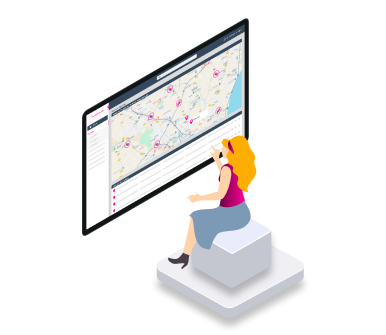
Simplify school routes: manage changes, absences, and incidents instantly
School transport is one of the most complex tasks for schools and the companies in charge of managing it. Logistics, student safety, and route management and changes are just some of the daily challenges. Many schools face difficulties related to:
- Route insecurity: Lack of visibility over bus routes and student well-being.
- Route changes and absence management: Many schools lack tools to adjust routes and manage student absences quickly and efficiently.
- Ineffective communication: Families, schools, and companies do not have a clear and fast way to communicate in real-time.
Benefits Only BatOnRoute Can Offer
- Real-time tracking: With School Tracker, families and schools can track the bus in real-time, ensuring a safer and more peaceful experience.
- Detailed reports: Generate complete reports on route performance, arrival times, the number of students per stop, and much more.
- Student safety: Our system provides real-time alerts if there are any issues with the route, ensuring an immediate response.
- No need for additional GPS installation: There is no need to modify your transport provider or install additional GPS; everything works through a web platform synced with apps.
The experience of other schools already using BatOnRoute



We resolve your queries
All you need to know about BatOnRoute
How does BatOnRoute’s real-time tracking work?
To track in real-time via the BatOnRoute app, it’s essential for the person responsible for the route to use the BatOnRoute Control app. This person will share their position using their mobile device’s GPS. This enables tracking at all times while the route is active.
Once the route finishes, tracking will stop until the responsible person reactivates the route through their Control app.
Is it necessary to have GPS in the vehicles to use BatOnRoute?
No, the BatOnRoute Control app uses the GPS integrated into the mobile device. Therefore, only a mobile device that can install the BatOnRoute Control app is required. The app is available on Android and iOS.
How does BatOnRoute ensure the security of user data?
BatOnRoute is hosted on Microsoft Azure’s cloud platform. Microsoft employs a variety of security measures to protect against external threats.
Azure secures data both in transit and at rest with state-of-the-art encryption. Azure uses multiple encryption methods, protocols, and algorithms, including double encryption, to protect data.
For data at rest, all data stored on Azure Storage is encrypted with AES 256-bit encryption, in compliance with the FIPS 140-2 standard. Proper key management is crucial. By default, your data is protected by Microsoft managed keys, and Azure Key Vault ensures that encryption keys are well-protected. Azure’s key management includes server-side encryption using either Microsoft managed keys or customer managed keys stored in Azure Key Vault. For client-side encryption, you can manage and store the keys locally or in another secure location
For data in transit (data moving between the user’s devices and Microsoft’s data centres or within those centres), Microsoft adheres to IEEE 802.1AE MAC security standards and uses industry-standard encrypted transport protocols such as TLS (Transport Layer Security) and IPsec (Internet Protocol Security).
What’s the process to set up BatOnRoute?
Get in touch with us at soporte.batonroute@nunsys.com, and we’ll help you get BatOnRoute up and running with a few simple steps.
First, we’ll set up a customised instance with your route data. After that, we’ll send you the access credentials and arrange two training sessions. One for the web administration platform and the other for the BatOnRoute Control app. Once complete, you’ll be ready to start using BatOnRoute.
What technical support does BatOnRoute offer?
BatOnRoute has a support team available 24/7, providing assistance from setup to troubleshooting during product use. This support is included in the monthly subscription fee.
Does the app provide alerts or notifications in case of incidents?
Yes, the BatOnRoute app has a notification system. If there’s an incident or delay related to a route, you’ll receive a notification in the app. You’ll also get notifications when the bus is near your stop.
Additionally, the route manager can send custom notifications.
In which languages is the platform available?
The BatOnRoute administration platform is available in the following languages:
Spanish, Catalan, Basque, Italian, French, Polish, German, Greek, Portuguese, Romanian, and Arabic.
I can't access the apps, what should I do?
Please contact your school or company to provide you with the access credentials for the Batonroute app.
I have access, but I can't see the bus or stops when the route is active.
If you can’t see the bus on the route, please contact your school or company.
It’s possible that the person responsible for the route isn’t using the Batonroute app. Another possibility is that their mobile device isn’t sharing its location. In both cases, the route’s progress will not be visible in the app.
Is there an alert or notification feature in case of deviations or incidents?
Yes, the BatOnRoute app has a notification system. If there’s an incident or delay related to a route, you’ll receive a notification in the app. You’ll also get notifications when the bus is near your stop.
Additionally, the route manager can send custom notifications.
How does BatOnRoute’s real-time tracking work?
To track in real-time via the BatOnRoute app, it’s essential for the person responsible for the route to use the BatOnRoute Control app. This person will share their position using their mobile device’s GPS. This enables tracking at all times while the route is active.
Once the route finishes, tracking will stop until the responsible person reactivates the route through their Control app.
How does BatOnRoute ensure the security of user data?
BatOnRoute is hosted on Microsoft Azure’s cloud platform. Microsoft employs a variety of security measures to protect against external threats.
Azure secures data both in transit and at rest with state-of-the-art encryption. Azure uses multiple encryption methods, protocols, and algorithms, including double encryption, to protect data.
For data at rest, all data stored on Azure Storage is encrypted with AES 256-bit encryption, in compliance with the FIPS 140-2 standard. Proper key management is crucial. By default, your data is protected by Microsoft managed keys, and Azure Key Vault ensures that encryption keys are well-protected. Azure’s key management includes server-side encryption using either Microsoft managed keys or customer managed keys stored in Azure Key Vault. For client-side encryption, you can manage and store the keys locally or in another secure location
For data in transit (data moving between the user’s devices and Microsoft’s data centres or within those centres), Microsoft adheres to IEEE 802.1AE MAC security standards and uses industry-standard encrypted transport protocols such as TLS (Transport Layer Security) and IPsec (Internet Protocol Security).
How does BatOnRoute’s real-time tracking work?
To track in real-time via the BatOnRoute app, it’s essential for the person responsible for the route to use the BatOnRoute Control app. This person will share their position using their mobile device’s GPS. This enables tracking at all times while the route is active.
Once the route finishes, tracking will stop until the responsible person reactivates the route through their Control app.
Is it necessary to have GPS in the vehicles to use BatOnRoute?
No, the BatOnRoute Control app uses the GPS integrated into the mobile device. Therefore, only a mobile device that can install the BatOnRoute Control app is required. The app is available on Android and iOS.
How does BatOnRoute ensure the security of user data?
BatOnRoute is hosted on Microsoft Azure’s cloud platform. Microsoft employs a variety of security measures to protect against external threats.
Azure secures data both in transit and at rest with state-of-the-art encryption. Azure uses multiple encryption methods, protocols, and algorithms, including double encryption, to protect data.
For data at rest, all data stored on Azure Storage is encrypted with AES 256-bit encryption, in compliance with the FIPS 140-2 standard. Proper key management is crucial. By default, your data is protected by Microsoft managed keys, and Azure Key Vault ensures that encryption keys are well-protected. Azure’s key management includes server-side encryption using either Microsoft managed keys or customer managed keys stored in Azure Key Vault. For client-side encryption, you can manage and store the keys locally or in another secure location
For data in transit (data moving between the user’s devices and Microsoft’s data centres or within those centres), Microsoft adheres to IEEE 802.1AE MAC security standards and uses industry-standard encrypted transport protocols such as TLS (Transport Layer Security) and IPsec (Internet Protocol Security).
What’s the process to set up BatOnRoute?
Get in touch with us at soporte.batonroute@nunsys.com, and we’ll help you get BatOnRoute up and running with a few simple steps.
First, we’ll set up a customised instance with your route data. After that, we’ll send you the access credentials and arrange two training sessions. One for the web administration platform and the other for the BatOnRoute Control app. Once complete, you’ll be ready to start using BatOnRoute.
What technical support does BatOnRoute offer?
BatOnRoute has a support team available 24/7, providing assistance from setup to troubleshooting during product use. This support is included in the monthly subscription fee.
Does the app provide alerts or notifications in case of incidents?
Yes, the BatOnRoute app has a notification system. If there’s an incident or delay related to a route, you’ll receive a notification in the app. You’ll also get notifications when the bus is near your stop.
Additionally, the route manager can send custom notifications.
In which languages is the platform available?
The BatOnRoute administration platform is available in the following languages:
Spanish, Catalan, Basque, Italian, French, Polish, German, Greek, Portuguese, Romanian, and Arabic.
I can't access the apps, what should I do?
Please contact your school or company to provide you with the access credentials for the Batonroute app.
I have access, but I can't see the bus or stops when the route is active.
If you can’t see the bus on the route, please contact your school or company.
It’s possible that the person responsible for the route isn’t using the Batonroute app. Another possibility is that their mobile device isn’t sharing its location. In both cases, the route’s progress will not be visible in the app.
Is there an alert or notification feature in case of deviations or incidents?
Yes, the BatOnRoute app has a notification system. If there’s an incident or delay related to a route, you’ll receive a notification in the app. You’ll also get notifications when the bus is near your stop.
Additionally, the route manager can send custom notifications.
How does BatOnRoute’s real-time tracking work?
To track in real-time via the BatOnRoute app, it’s essential for the person responsible for the route to use the BatOnRoute Control app. This person will share their position using their mobile device’s GPS. This enables tracking at all times while the route is active.
Once the route finishes, tracking will stop until the responsible person reactivates the route through their Control app.
How does BatOnRoute ensure the security of user data?
BatOnRoute is hosted on Microsoft Azure’s cloud platform. Microsoft employs a variety of security measures to protect against external threats.
Azure secures data both in transit and at rest with state-of-the-art encryption. Azure uses multiple encryption methods, protocols, and algorithms, including double encryption, to protect data.
For data at rest, all data stored on Azure Storage is encrypted with AES 256-bit encryption, in compliance with the FIPS 140-2 standard. Proper key management is crucial. By default, your data is protected by Microsoft managed keys, and Azure Key Vault ensures that encryption keys are well-protected. Azure’s key management includes server-side encryption using either Microsoft managed keys or customer managed keys stored in Azure Key Vault. For client-side encryption, you can manage and store the keys locally or in another secure location
For data in transit (data moving between the user’s devices and Microsoft’s data centres or within those centres), Microsoft adheres to IEEE 802.1AE MAC security standards and uses industry-standard encrypted transport protocols such as TLS (Transport Layer Security) and IPsec (Internet Protocol Security).
Our priority is to increase safety and help you manage routes and users with Bus Tracker
Request information and discover how BatOnRoute optimizes your route management.
We are here for you!



We need to know a little about you in order to contact you